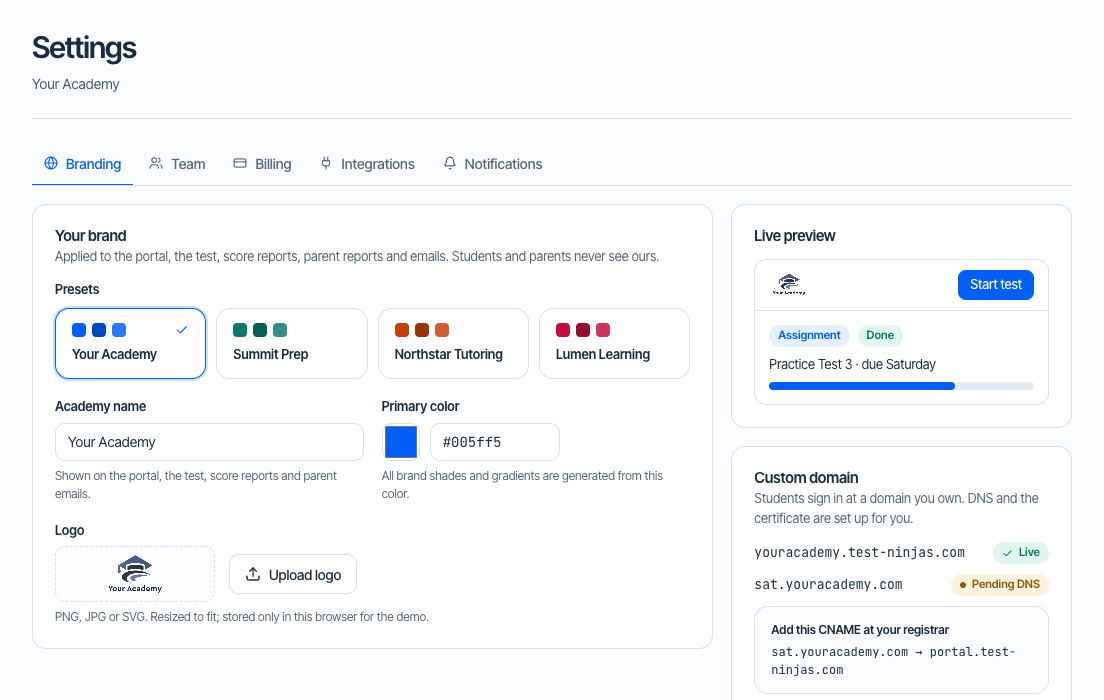
Your logo and brand colors
Customize the classroom with your academy’s logo and colors. Your branding appears throughout the student experience and score reports.
A complete practice and teaching platform that feels like your academy. Bring your students, your expertise, and your way of teaching. We help you put it all in one place.

“Our students have improved by 150+ points on average.”
Manage your classes, provide practice materials, and track student progress in one platform.
Customize the classroom with your academy’s logo and colors. Your branding appears throughout the student experience and score reports.
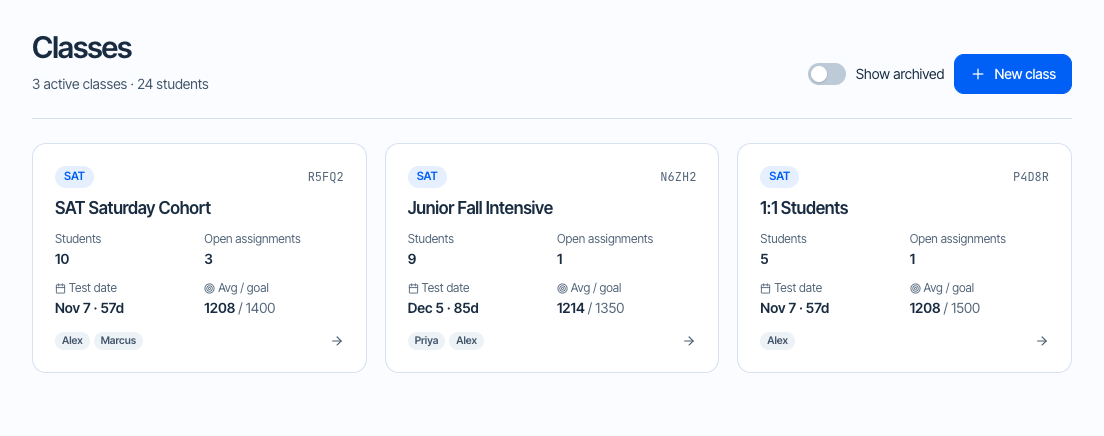
Create classes, manage student rosters, keep teaching notes, and assign practice to individuals or entire classes.
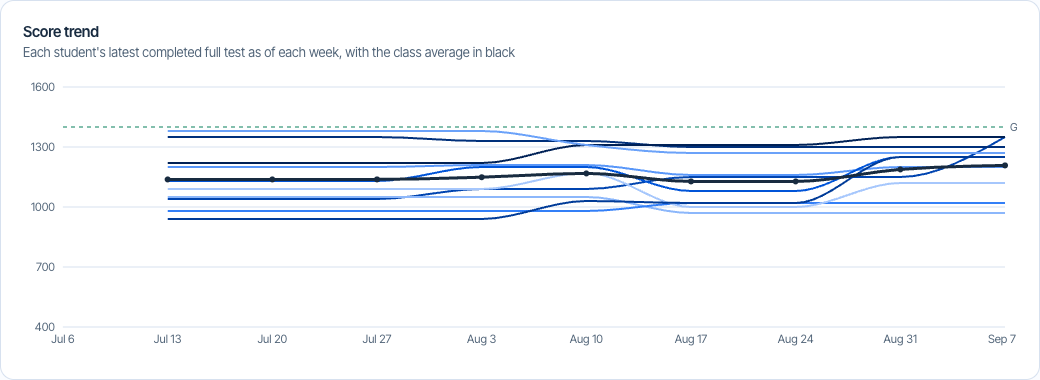
Review raw and scaled scores, track progress, and identify skills that need more practice. Ask AI questions about your class results.
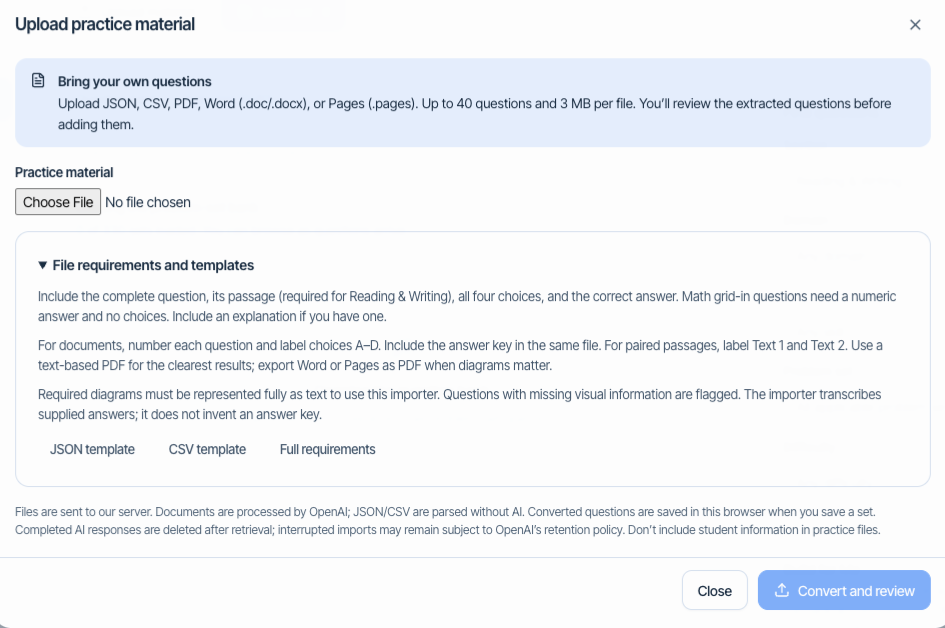
Use the tests and practice questions we’ve written, build custom sets from the problem-set bank, or upload your own practice materials.
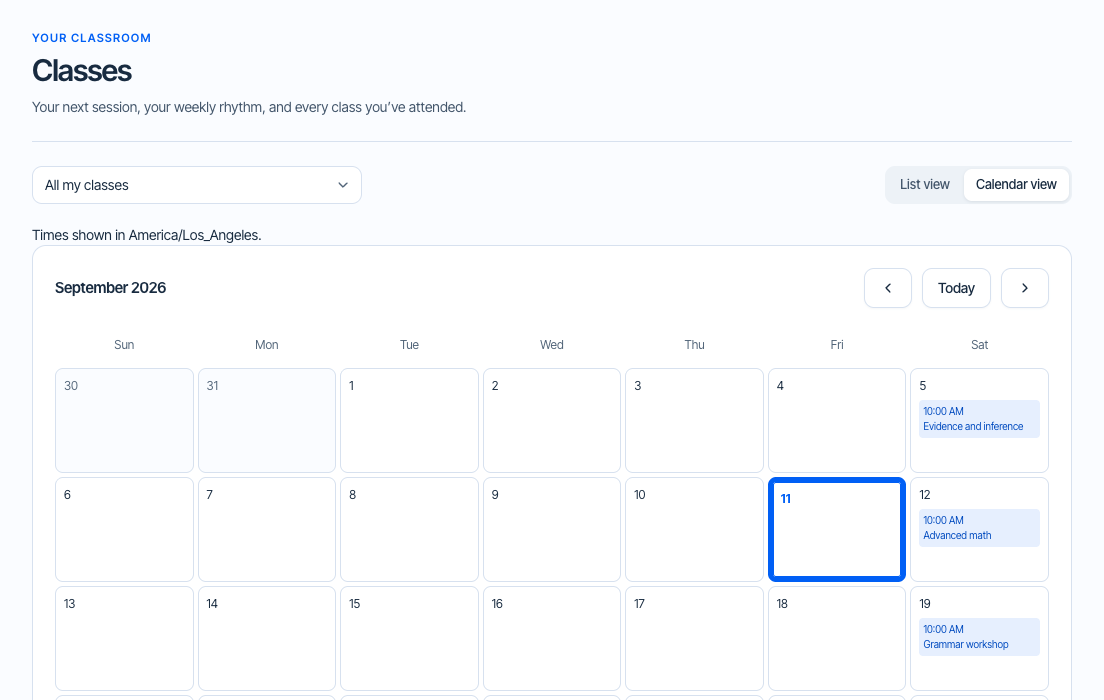
Give students a list and calendar of upcoming and past classes, with locations for in-person sessions and meeting links for online classes.
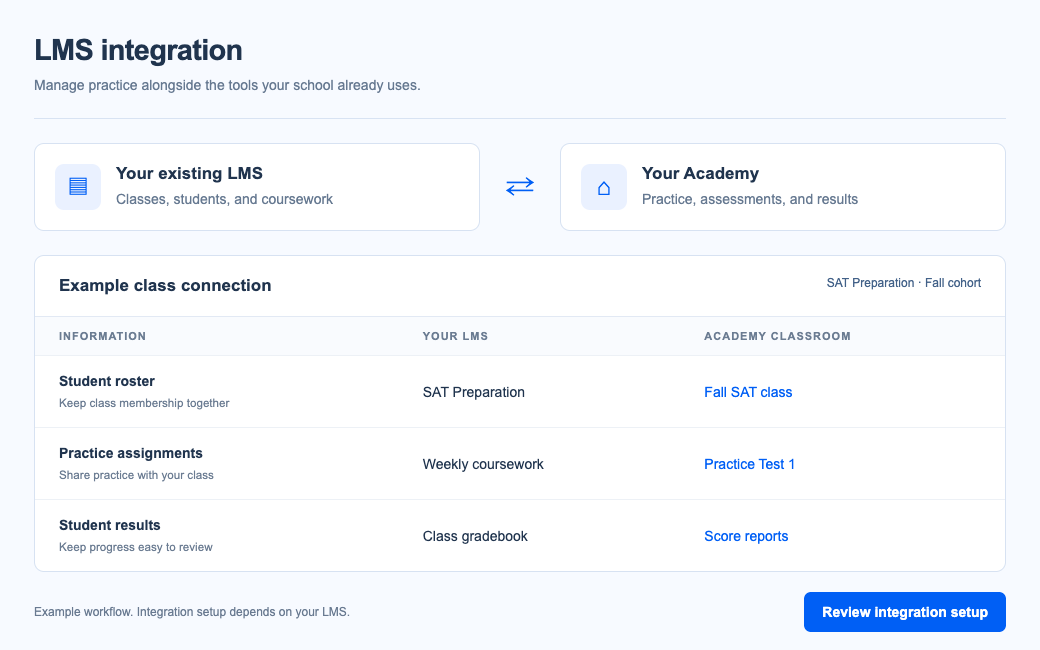
Keep using your existing learning management system. Talk to our team about connecting your class rosters, practice assignments, and student results.
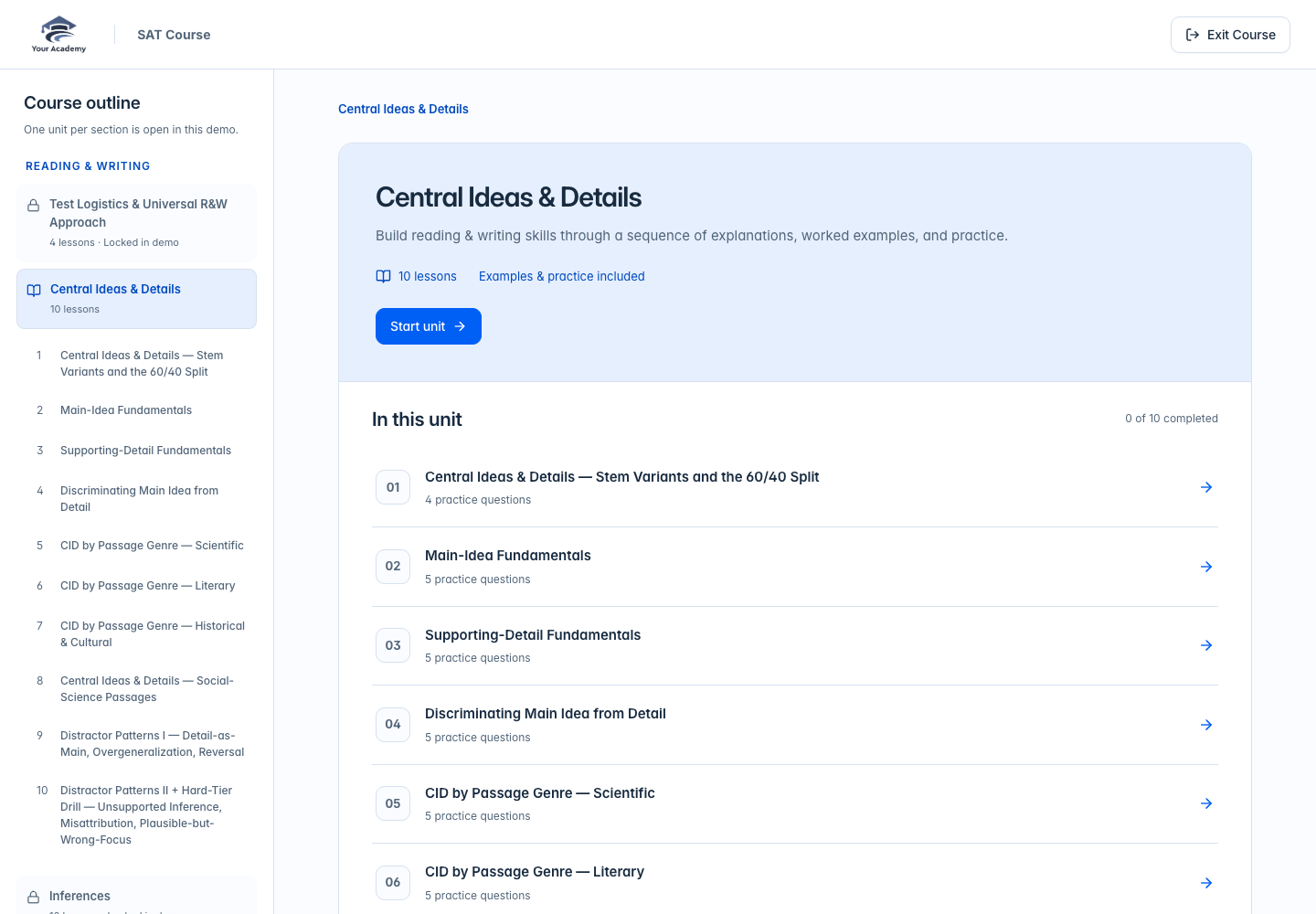
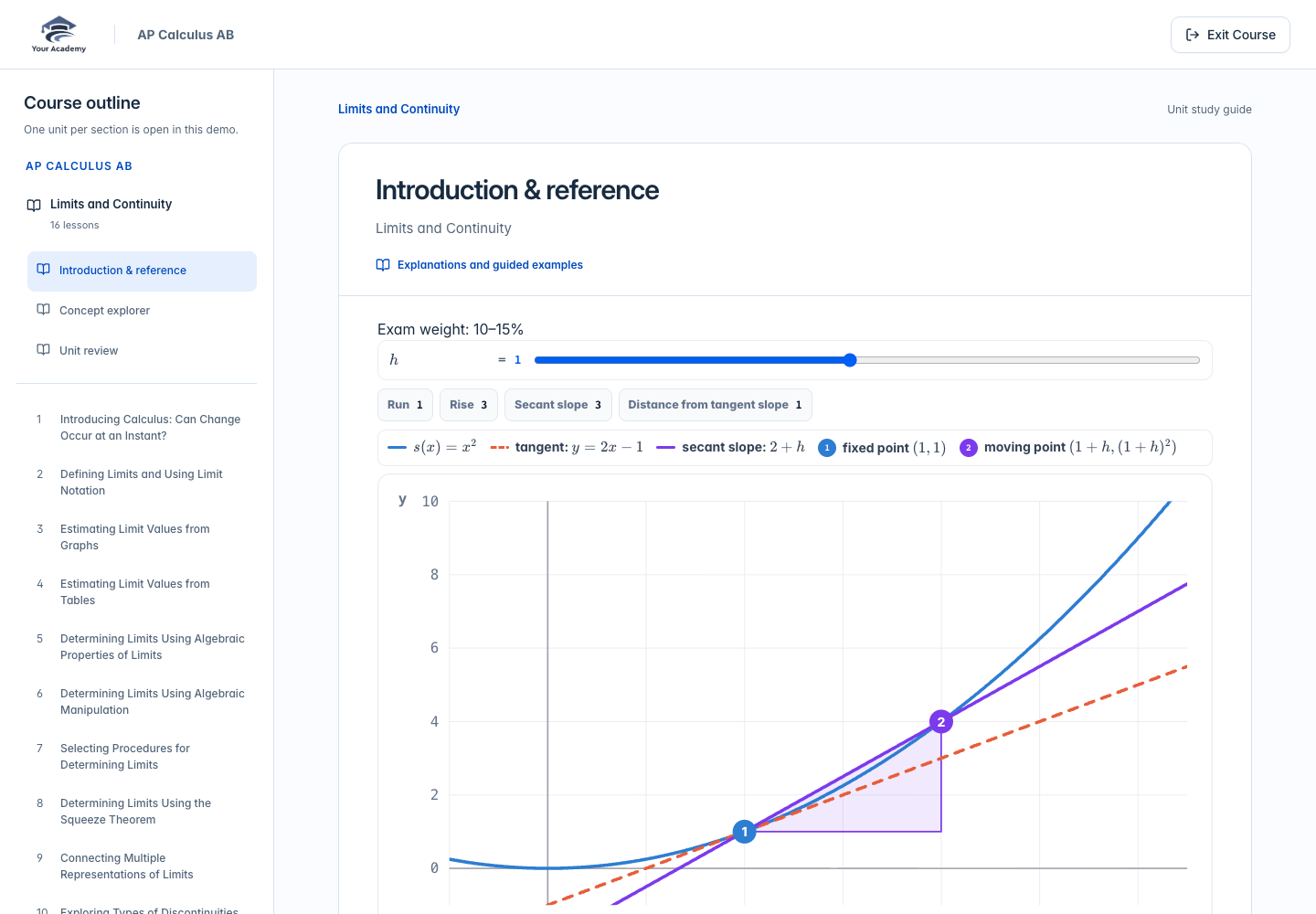
Teach with guided lessons, worked examples, and interactive practice from our SAT, ACT, and AP courses. Students learn inside your branded classroom. Explore one complete unit per section or AP subject in the live demo.
Founder, Hearts of Empowerment
Founder, Sayan College & Career Consulting
Founder, Method 2 Madness Tutoring
“Since adopting your DSAT platform, our students have improved by 150+ points on average. The targeted modules and realistic tests made a huge difference.”
“Test Ninjas has made a real difference for my students. The platform is outstanding, and the adaptive tests really help them get used to what they'll see on test day.”

Take a real look around. No account required. You can even try your own brand colors.
Manage classes, assign practice, review score reports, and explore class analytics. Ask AI to help interpret the data and plan what to teach next.
Live Demo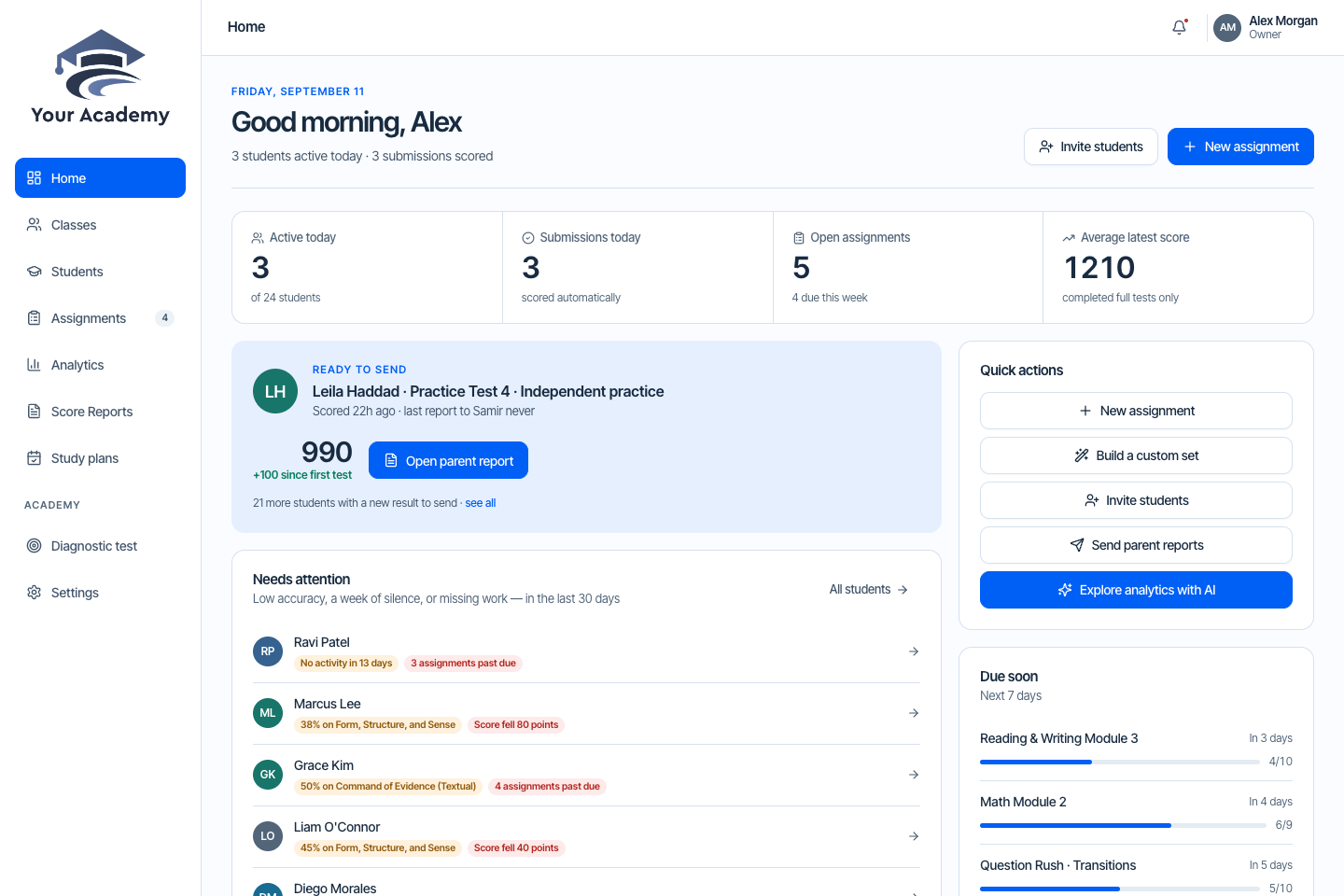
Build your program around our ready-to-use content. The live classroom demo features SAT.
You never have to pay us before you have a paying student of your own. Your first three student accounts are free. After that, buy licenses for the students you enroll—without a platform subscription to cover while you wait for customers.
Set up your classroom before you have customers, and teach your first three students at no cost to you. You only need paid licenses when your program grows beyond those three students.
Send a message or book a call—our team sets up your academy with you.
Your platform should support your teaching business from the beginning. There are no setup fees or recurring platform fees to recover before you earn your first dollar—and no subscription bill to carry through a quiet season.
For students beyond your first three. One paid license covers one student and one exam. Volume discounts apply to paid licenses purchased.
| Licenses purchased | Per student license |
|---|---|
| 2–25 | $40 / once |
| 26–50 | $35 / once |
| 51–100 | $30 / once |
| 101–200 | $25 / once |
| 201+ | $20 / once |
The free account needs no purchase. Paid orders start at two licenses. No setup or migration fee. Contact our team about school, district, and nonprofit pricing.
Diagnostics add-on: $50/month + $3 per completed lead, optional.
Get set up before you have customers. Your first three student accounts are included.
Build your teaching business before taking on software costs.
Once you grow beyond three students, purchase licenses for your new enrollments. No recurring platform subscription.
Already teaching on another platform? Send us your student list and we’ll set up your classes and student accounts for you—free of charge, with no migration fee.
An export or spreadsheet from your current platform: student names, emails if you have them, and classes.
Our team creates your classes and student accounts, and can help bring over your own practice materials.
You get every student’s username and password to share. Switch over whenever you are ready.
Your first three student accounts are free. Our team helps you set up your classroom, and you buy additional student licenses when you grow beyond three students. There is no monthly or annual platform subscription.
Yes, free of charge. Send us your student list from your current platform—an export or a spreadsheet works—and our team sets up your classes and student accounts for you. There is no migration fee. Keep your current platform running until your new classroom is ready, so your students never go without practice.
Very little. Every student gets a username and password for your branded classroom, and you get the full list to share. Students sign in with their username or email and can change their password once they are in. Your own practice materials can come too: upload them as JSON, CSV, PDF, Word, or Pages files, and we can help.
Student licenses are one-time card purchases made in your teacher workspace, with volume pricing applied automatically. Every order appears in your order history with a receipt, and Manage billing lets you update your card and download invoices. The optional diagnostics add-on is the only monthly charge; you can stop it from Settings at any time, and it stays on through the month you have paid for. For school, district, or nonprofit billing, talk to our team.
Yes. Our educator team helps you directly with setup, migration, and your account. Email us at educators@test-ninjas.com, send us a message, or book a call. New academies also receive a getting-started guide by email.
Explore the teacher workspace, student practice experience, and diagnostic assessment without creating an account. Use Demo Configuration to try your branding and switch views. The demo uses sample students and local demo data; it is separate from your future live platform.
Yes. Teachers can build custom sets from the problem-set question bank or upload JSON, CSV, PDF, Word, or Pages files. Imported questions can be reviewed before use. Custom question-bank sets draw from problem sets, keeping full-length tests and practice modules intact.
Share your branded diagnostic with prospective students. You choose which contact fields are required and whether students see their score report immediately or contact your team for results. Settings and leads live in the teacher workspace.
There is no monthly or annual platform subscription to keep paying. Buy student licenses as you need them, and keep unused licenses for future students. You do not need to maintain a recurring software subscription while enrollment is quiet.
The classroom demo showcases SAT. Talk to our team about ACT, PSAT, AP, or other program needs so we can confirm the right content and setup for your organization.
Explore the demo on your own, or book a conversation about your academy.